Qt Sensors - QML example
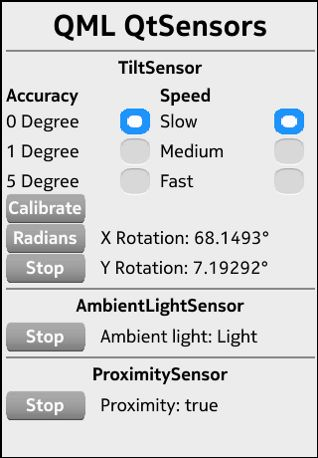
Qt Sensors in QML
The QtSensors - QML example demonstrates the QML sensors types in the QtSensors 5 import.
To write a QML application that will use the QML sensors types in the QtSensors 5 import you need to to the following steps:
Import the QtSensors 5.x declarative plugin:
import QtSensors 5.0
Add the Sensor QML types into your qml file.
In this example we use the TiltSensor:
        TiltSensor {
            id: tilt
            active: false
        }
The Tilt-, AmbientLight- and the Proximity QML sensor types have the 'enabled' property in common. To start or stop the sensor set this property to true or false.
tilt.active = (tiltStart.text === "Start");
Reading the data can be done for each sensor type like following:
                text: "X Rotation: " + tilt.xRotation + "°"
                text: "Y Rotation: " + tilt.yRotation +  "°"
                onReadingChanged: {
                    if (reading.lightLevel == AmbientLightSensor.Unknown)
                        ambientlighttext.text = "Ambient light: Unknown";
                    else if (reading.lightLevel == AmbientLightSensor.Dark)
                        ambientlighttext.text = "Ambient light: Dark";
                    else if (reading.lightLevel == AmbientLightSensor.Twilight)
                        ambientlighttext.text = "Ambient light: Twilight";
                    else if (reading.lightLevel == AmbientLightSensor.Light)
                        ambientlighttext.text = "Ambient light: Light";
                    else if (reading.lightLevel == AmbientLightSensor.Bright)
                        ambientlighttext.text = "Ambient light: Bright";
                    else if (reading.lightLevel == AmbientLightSensor.Sunny)
                        ambientlighttext.text = "Ambient light: Sunny";
                }
text: "Proximity: " + (proxi.reading.near ? "near" : "far")
Files: